


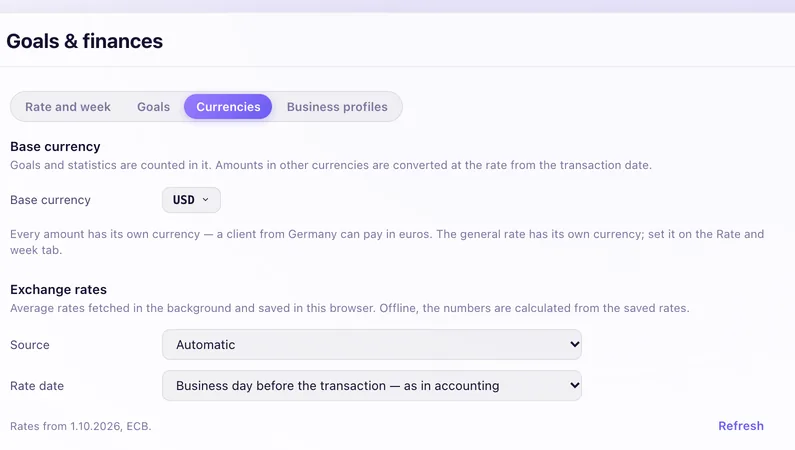
Every amount in its own currency.
Bill one client in euros and another in dollars. Your statistics convert everything to your main currency at the rate from the business day before each payment, the way accountants count it.
 Mac · iPhone · Apple Watch
Tasks get real hours on the grid. Projects know their budget and whether the deadline holds. Clients, deals and revenue sit in the same app, so you stop copying between four of them.
7 days of every feature, then monthly or yearly · See what it does
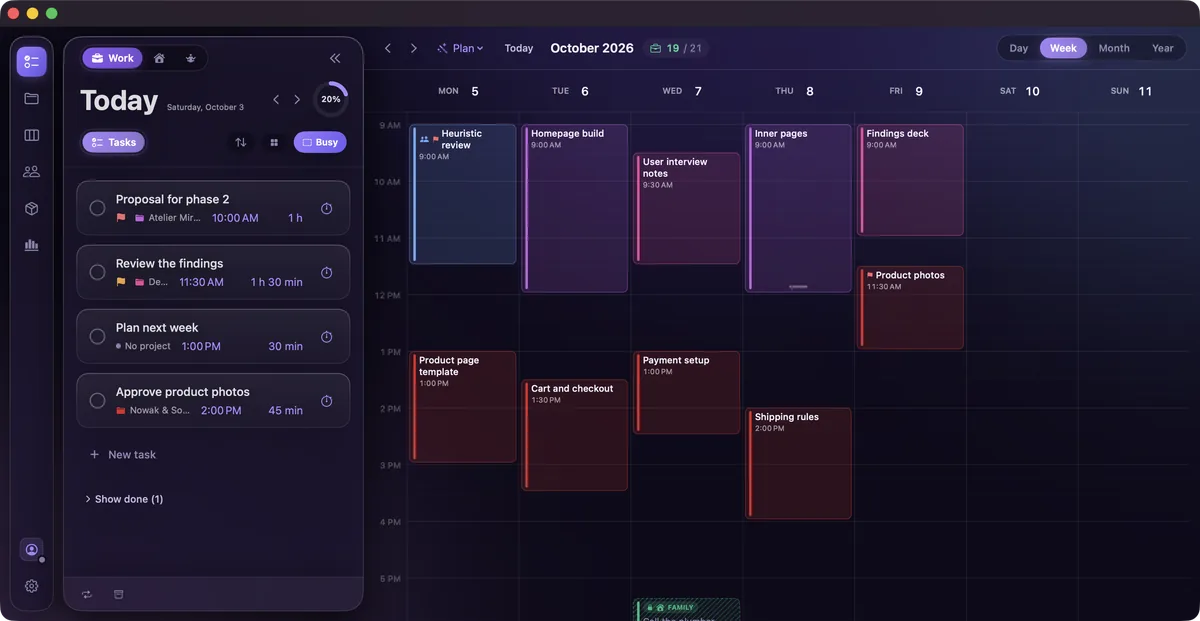
Real app, sample data.


A to-do list that never asks whether today has room.
Every task takes a real hour on the grid, next to your meetings.
A deadline you check by gut feeling.
A forecast that counts working days, public holidays and your time off.
Hours in one app, clients in another, revenue in a spreadsheet.
One record: the hour you logged shows up in the project budget, the client profile and your effective rate.
Drag a task onto the grid and it becomes a block with a start and an end. Your meetings, your other calendars and the weather are drawn on the same grid, so you see the afternoon as it really is.
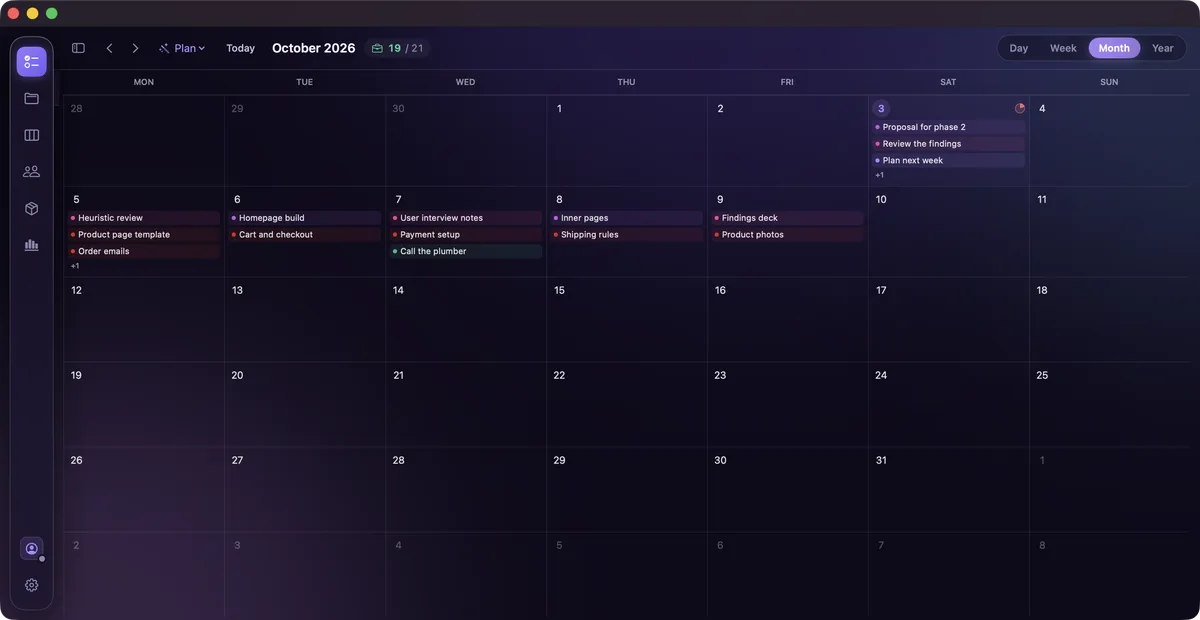
Day, week, month, year. From the whole year down to a quarter of an hour.
Mark Tuesday morning for deep work and Friday afternoon for admin. The week keeps that shape.
Your workdays, your holidays, public holidays and occasions are on the grid before you plan anything.
Rain at 15:00 and sunset at 16:12 are visible before you book the site visit.
Google and Microsoft calendars come in both ways. Writing back stays off until you pick the target calendar.
Work and home live in separate profiles. Time taken in the other one shows as busy, without the title.
Ask for the first free slot long enough for the task. If there's no room in two weeks, it says so.
Plan gives each of today's loose tasks an hour that suits it. You see the proposal first, and nothing moves until you accept it.
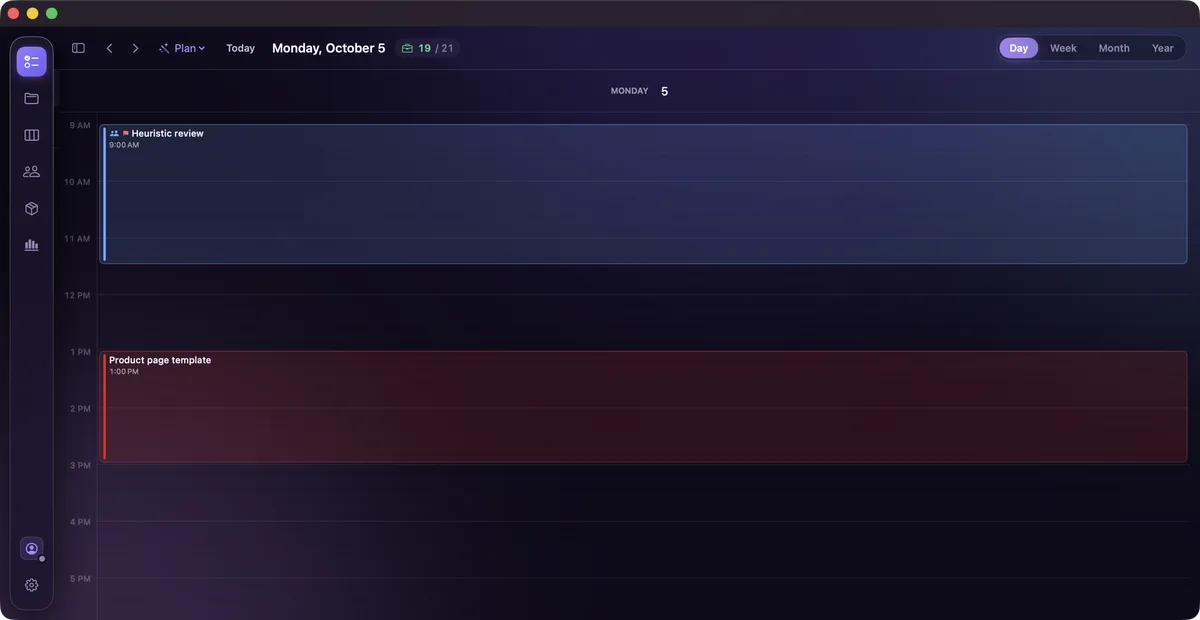
Plan my day on Monday: the proposal comes first, with what didn't fit named. Press Put in the calendar and the block is yours.
Write one line. The app reads the day, the hour, the length and the priority out of it, and shows every piece it took as a chip under the field.
! is low, !! is medium, !!! is high.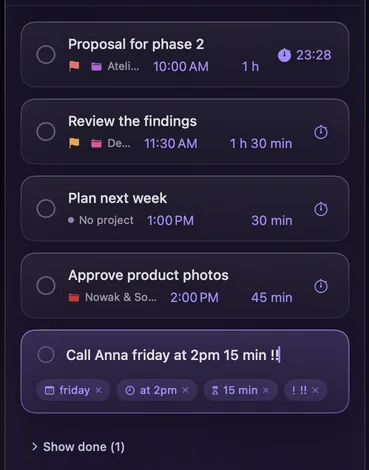
One line in, four chips out. Tap a chip and the words go back.
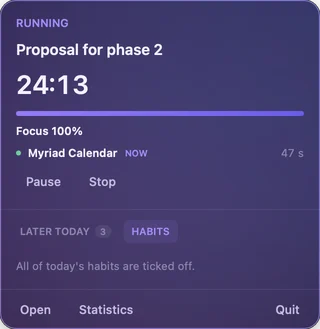
Start a stopwatch or a Pomodoro on a task. Each session lands on the task and its project, so the budget and your effective rate update on their own.

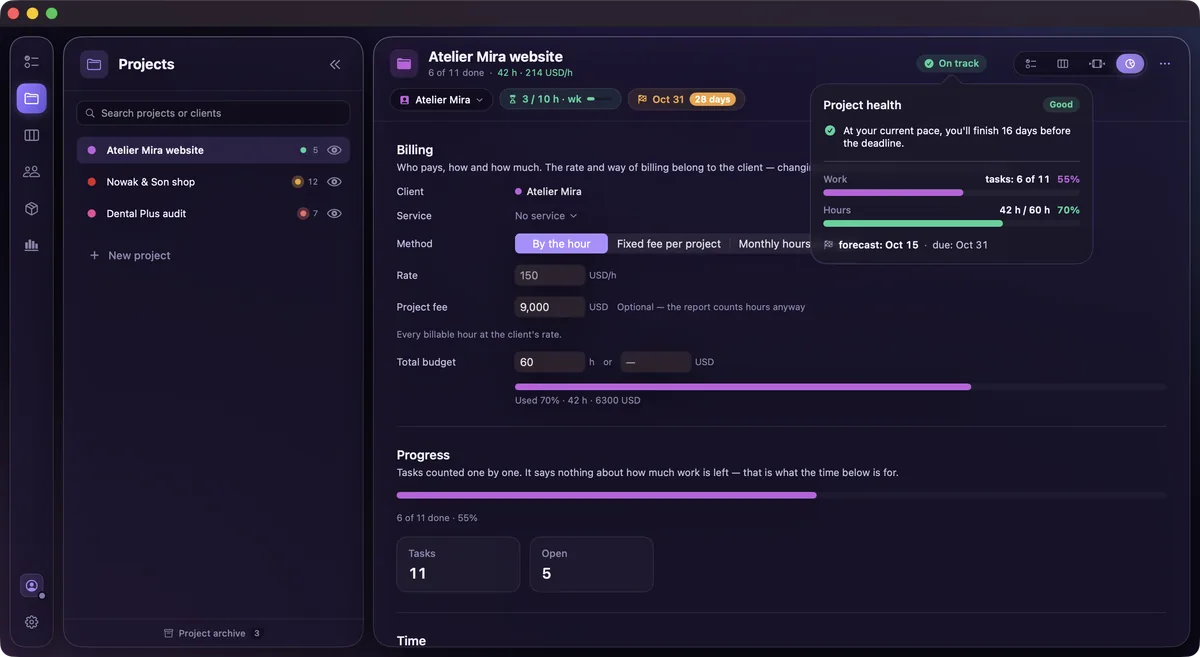
Give a project a deadline and an hour budget. The app counts the working hours you have left, minus public holidays and your time off, and tells you whether the open work fits.
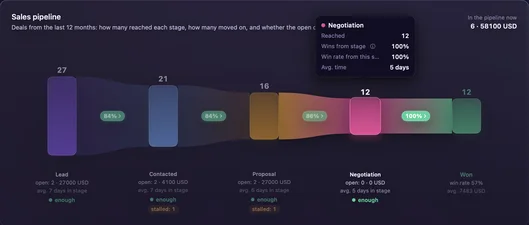
Deals move through stages you name yourself, with the products and services you're selling attached to each one.
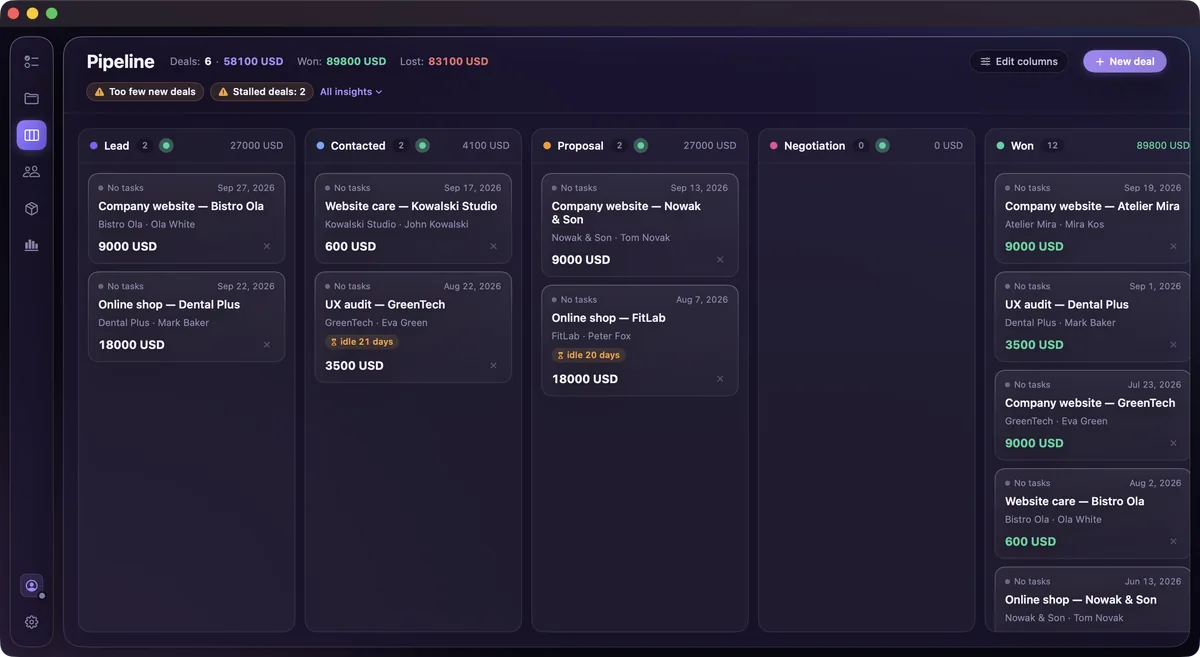
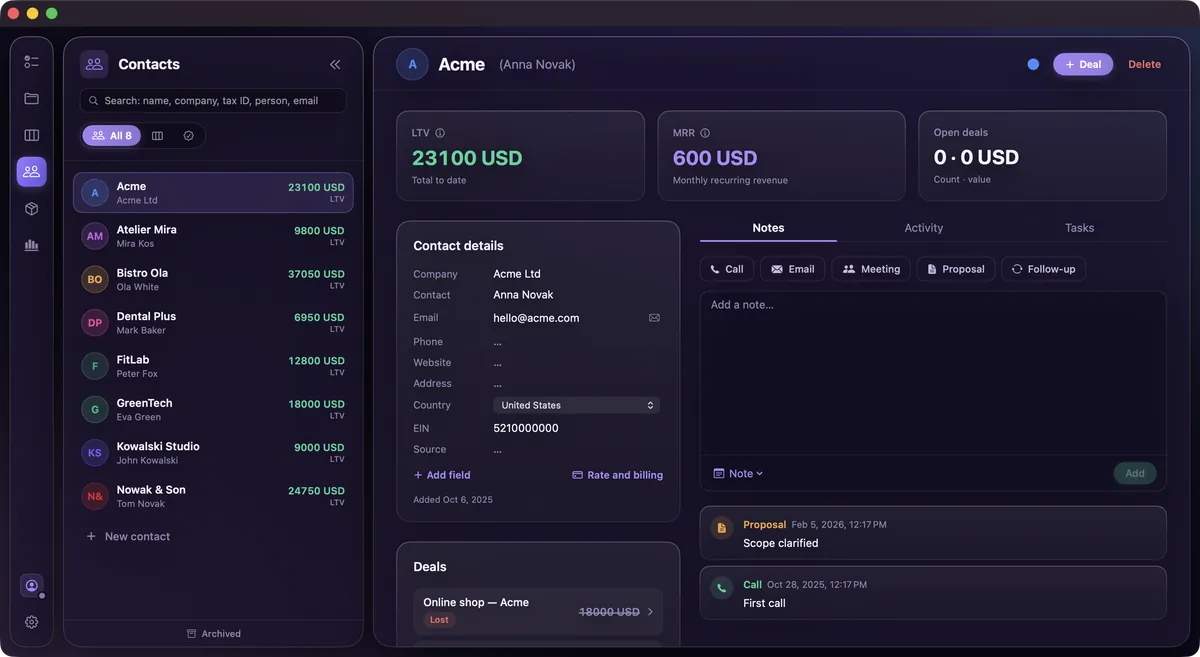
Each one's results month by month, compared with the same period last year.
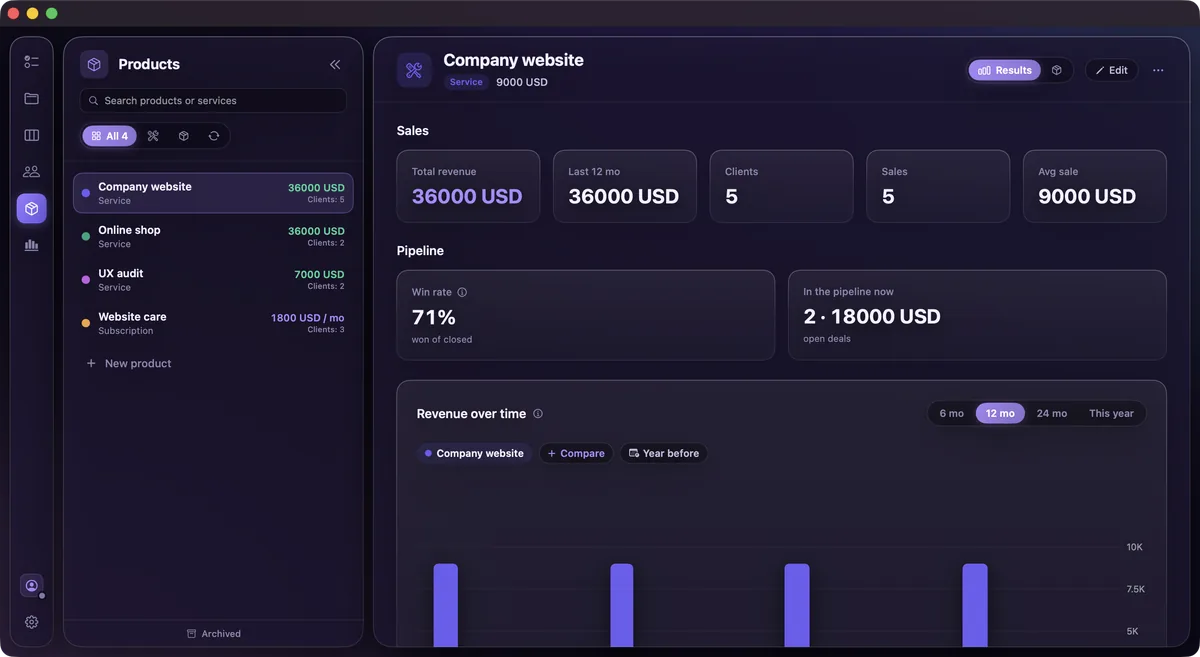
Each number is coloured by what it means for you, not by whether it went up. When less is better, less is green. Orange means keep an eye on it.
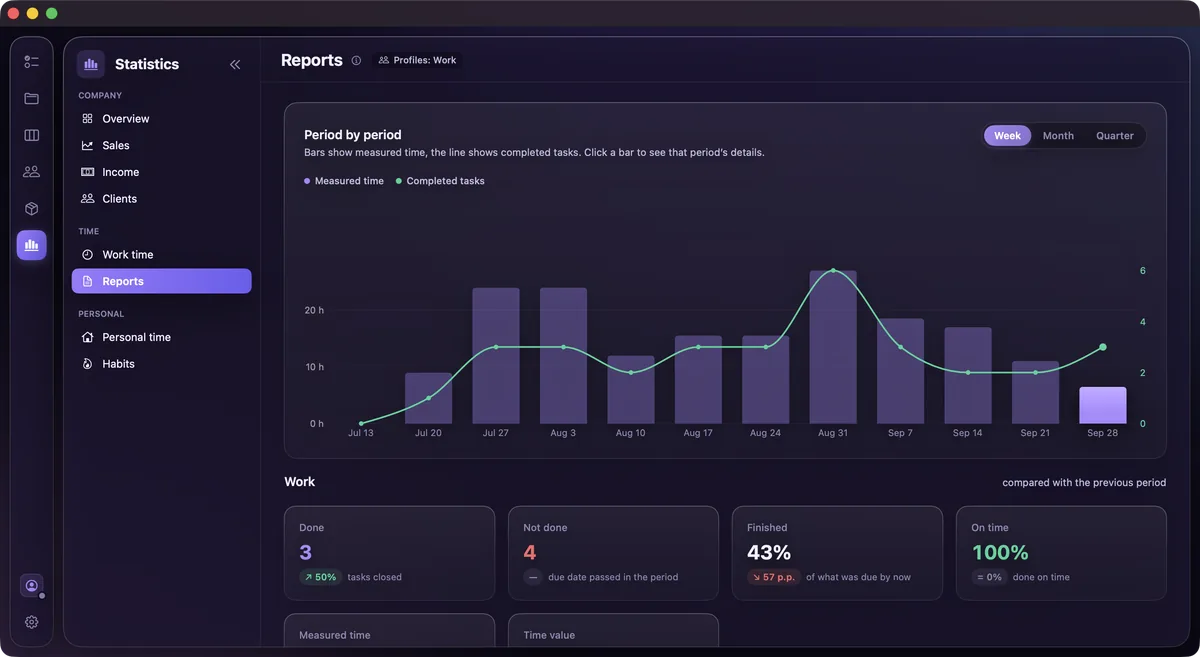
Switch the page. Every change keeps its colour logic.
Save a project's columns and tasks as the template for a product. The next project for that product starts with the same board and the same tasks, so you don't rebuild your process every time.

Projects in their categories, and a new one started from the Company website template.
When you sell two things in two different ways, give each one its own pipeline. Start from one of 12 templates or from an empty board. Every pipeline keeps its own stages, win chances and numbers.
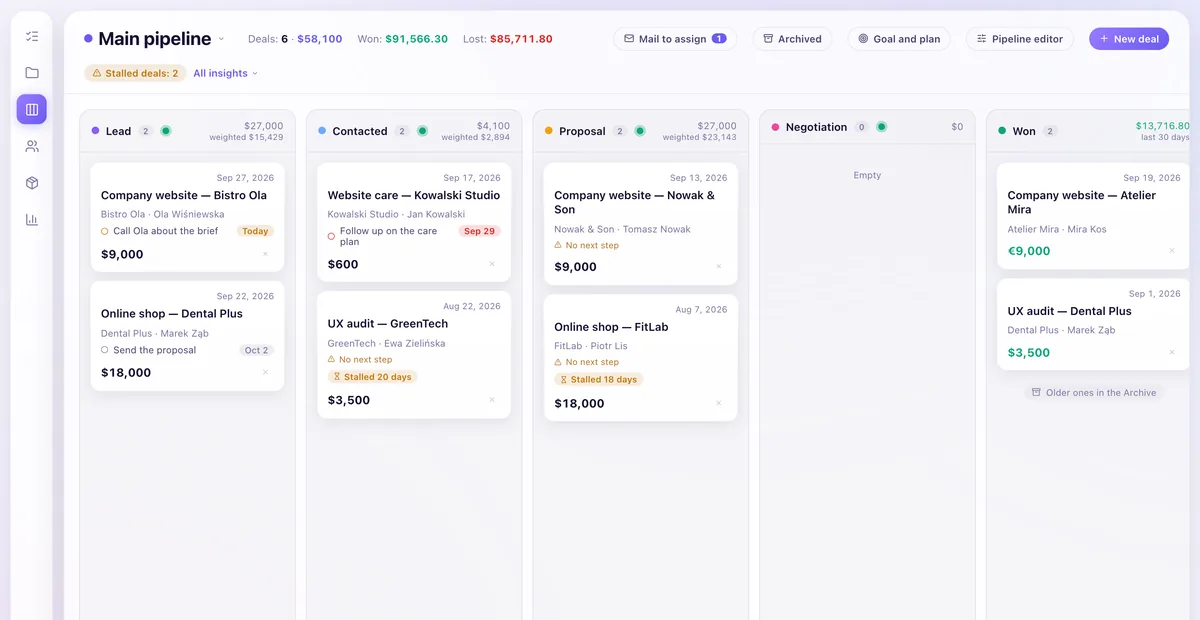
Two pipelines, one goal. The Renewals pipeline came from a template in two clicks.
Add a task straight from a deal or a contact. It lands in your day like any other task, and the card shows it as the next step until you tick it off.
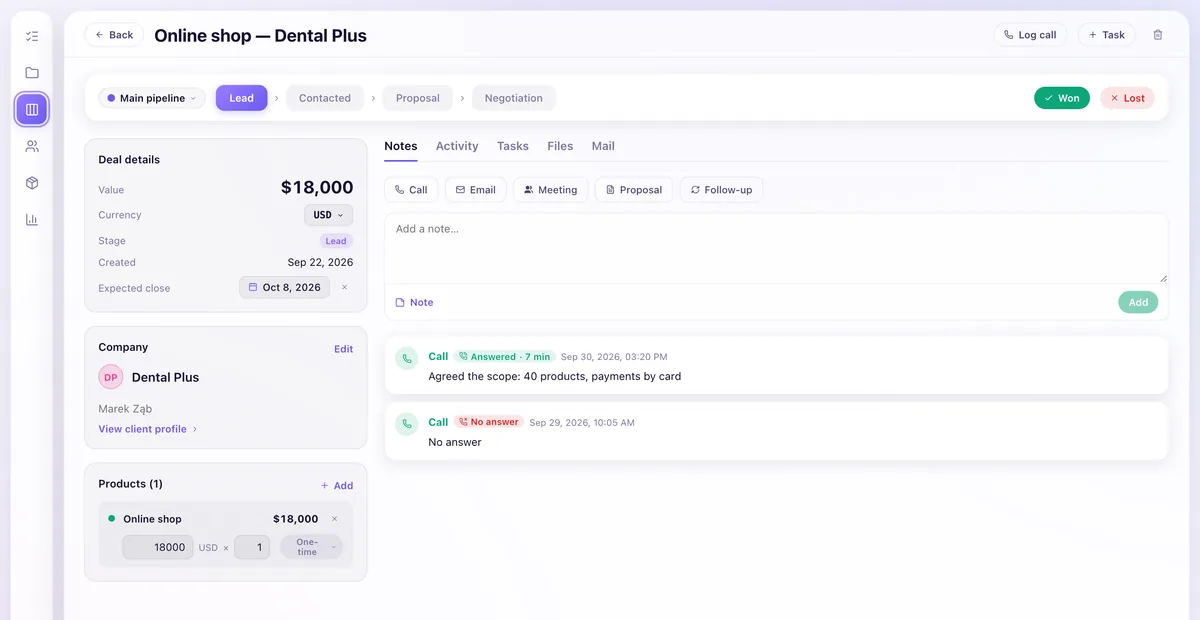
The call is logged on the deal it was about. In the browser you log calls by hand.
Connect your own mailbox. Myriad keeps only the emails with people who have a deal in your pipeline. You read and answer them on the deal, and the reply goes out from your own address.
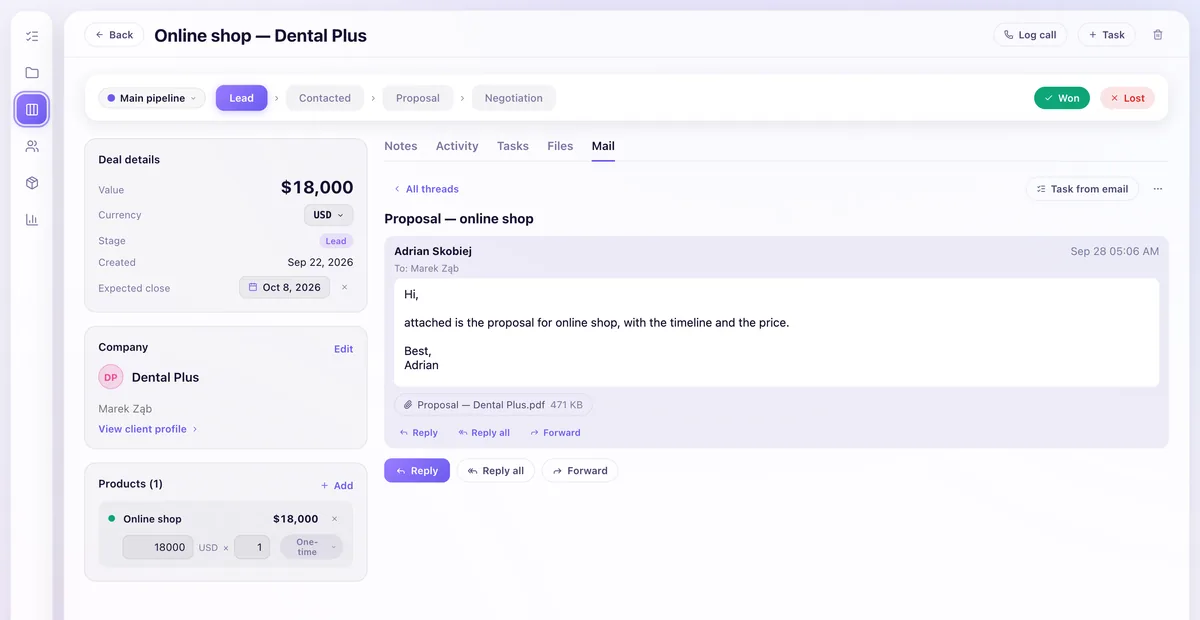
The thread sits on the deal it belongs to. Reply, and it goes from your own mailbox.
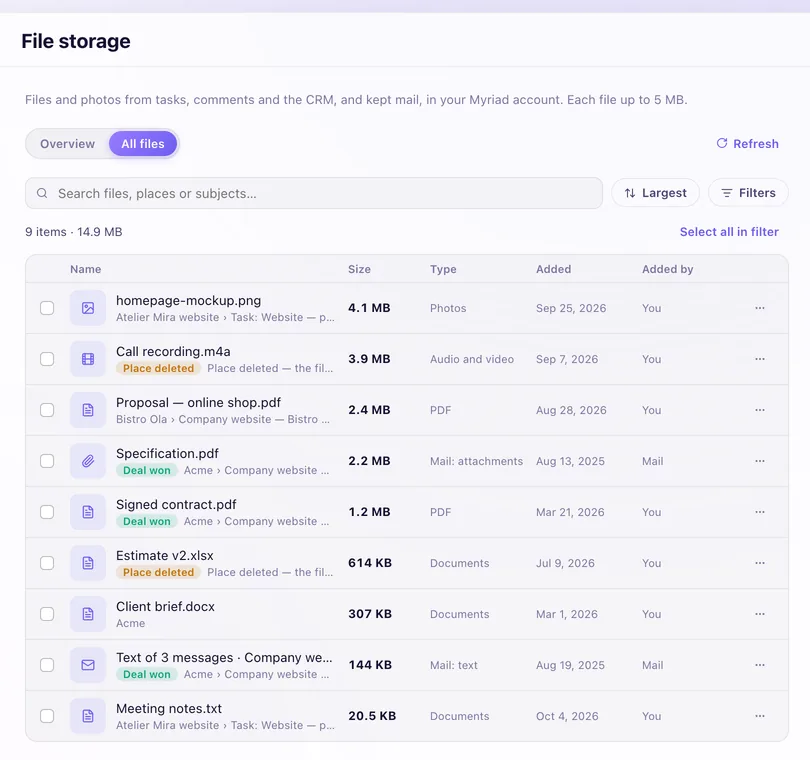
Attach files to tasks, comments, contacts and deals. Settings list all of them in one place: what it is, what it's attached to, how big it is and who added it.
Most freelancers grow the same way: first alone, then with a contractor or two, then with someone who works with you every week. The app stays the same at each step and adds what that step needs. You pay only for the people you add.
You sell your hours, so your calendar has to know what they're worth.
You hand a project, or a piece of one, to someone you pay per job.
Someone works with you every week, and now you plan their time as well as yours.
You keep your own plan at every step. Each person you add is $8 a month or $80 a year, and gets the full app for as long as they're on your team.
Add a contractor to the project they work on and set once how you pay them. From then on the app keeps a running balance for each person: what they've earned, what you've paid and what's still open.
Your other projects aren't shared with him.
He doesn't see payouts or the amounts on tasks.
Marek's timer adds up to 18 h 30 min, and at $45/h the balance reads $832.50. Press Mark as paid and the balance drops to zero. Profit stays where it was, because the cost was counted when he earned it.
Once someone works with you every week, your calendar stops being the only one that matters. Give a task to a person and the forecast runs on their work week, the public holidays and their time off.
Give the homepage to Ola and the forecast reads On track. Give her Thursday off and it turns to At risk: short by 2 h.
This is the whole list, so nobody on your team has to guess.
The admin and the person see the same report. If someone declines the rules, the timer on that project won't start. Everything else in their app works as before, and they can withdraw their consent later in the project's team rules.
Repeats as specific as your contracts, and habits with a history you can actually look at.

The Mac is where you plan. The iPhone has the day and its widgets, and the Apple Watch shows what's next and lets you tick it off. All three show the same day.
Mac. Where you plan: the week, the projects, the clients and the numbers.
Tick a task on the Watch. It's crossed out on the iPhone, then on the Mac.
Sync works through your iCloud with no extra sign-in.
Sign in with Apple, with Google or with a link sent to your email. No password to remember.
Each account can read only its own records. No ads. Google and Microsoft calendars come in through the accounts already on your Mac and iPhone, so the app never holds their passwords.
English, German, Spanish, French, Italian, Japanese, Korean, Brazilian Portuguese, Traditional Chinese, Russian and Polish, in the web app too.
A train without wifi, a client who pays in euros, a lead form on your website. The app is built for the days that don't go to plan.
Bill one client in euros and another in dollars. Your statistics convert everything to your main currency at the rate from the business day before each payment, the way accountants count it.
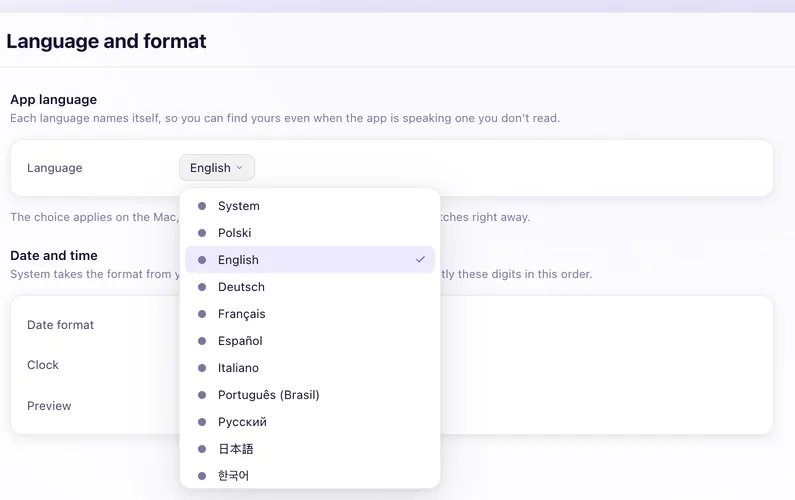
The same English, German, Spanish, French, Italian, Japanese, Korean, Brazilian Portuguese, Traditional Chinese, Russian and Polish as on the Mac and iPhone. Each language is listed in its own name.
Plan, tick off and time your work on a plane. Changes wait on the device and go out by themselves when you're back online. The web app opens without a connection too, and you can install it like any other app.
With a Myriad account, leads from your website forms, Zapier, Make, Pabbly Connect and n8n go straight into the CRM through webhooks, and Myriad tells your other tools when a deal is won. Building something of your own? Read the API docs. Ready-made Myriad apps for Zapier, Make and Pabbly Connect are coming.
The trial opens every feature for seven days. After that you choose a monthly or a yearly subscription.
or $80 / person / year. On top of your own plan. You don't take a seat; each person you add does.
See how teams workStart on your own plan and add people when you need them. You buy seats in the Mac app downloaded from this site.
Prices in USD. Local price and VAT shown at checkout.
Already have an account? Sign in · Already subscribed? Manage subscription · Ask a question
For the Mac, start the 7-day free trial on this page. For iPhone and Apple Watch, get it from the App Store. All three show the same day.
Seven days free with every feature, then $9.99 a month or $79.99 a year. Each person you add to a team is $8 a month or $80 a year. Prices are in USD; your local price and VAT are shown at checkout.
No. Myriad isn't accounting software. It tracks your time, projects, clients and revenue, and the client report is a PDF of hours and work done, not an invoice.
Yes, through the accounts you've already added on your Mac and iPhone. Events come in with their meeting links. Your blocks go out only after you choose which calendar they should go to.
No. Sync through your own iCloud works without one. A Myriad account is optional: you sign in with Apple, Google or an email link.
In your iCloud, or in your Myriad account if you use one. Each account can read only its own records and the team projects it has access to. There are no ads.
No. Plan places loose tasks into free time and shows you the result first. Nothing changes on your calendar until you accept it.
Yes, when you need one. It starts as a tool for one person running their own work. When the work grows, add employees, contractors or family to a shared team profile for $8 a person a month or $80 a year, on top of your own plan.
Your own plan stays as it is: $9.99 a month or $79.99 a year. Each person you add is $8 a month or $80 a year, and you don't take a seat yourself. An invitation holds a seat for 14 days, so a person you invite can always accept. While they're on your team, the seat gives them the full app.
No. A contractor sees only the projects you share with them, and you can change that list later. Your other projects, and anything that doesn't belong to a shared project, stay hidden. They also don't see the payouts panel or the amounts you put on tasks.
Nothing, unless you switch it on for a project. When it's on, a person's Mac records only while their timer runs on a task from that project: which apps and website domains were in front and for how long, a focus score, app switches and the longest focused stretch. It skips everything outside the timer, pauses included, and never takes screenshots, keystrokes or screen content. The iPhone reports time only. The admin and the person see the same report. Before the first timer, the person reads the rules and accepts or declines them; if they decline, the timer on that project doesn't start. The reason is simple: a timer that quietly doesn't record misleads the admin, and one that records without the person knowing misleads them.
No. Myriad keeps only the emails with people who have a deal in your pipeline, open or closed in the last 30 days. The rest of your mailbox stays where it is, and nothing tracks whether your emails were opened.
Yes. On the Mac, the iPhone and in the browser you can keep planning, ticking off and timing your work. Changes are saved on the device and sent by themselves when you are back online.
Yes, with a Myriad account. Zapier, Make, Pabbly Connect and n8n connect through webhooks, so leads from your forms reach the CRM and your other tools hear when a deal is won. The API is documented at api.myriadself.com/docs.
Try every feature for seven days on Mac, iPhone and Apple Watch. If something would stop you from switching, tell us, while it's still easy to change.
Already have an account? Sign in