Mac · On the Mac App Store

A shelf under your notch.
Not one more window.

Move the pointer onto the notch and a panel slides out: the files you are about to need, the last things you copied, the items you keep pinned, and your widgets. Move away and it folds back. A Mac without a notch gets a notch-sized pill in the same spot.

  • Free download, 7 days free
  • Then one purchase, no subscription
  • macOS 14 or later, with or without a notch
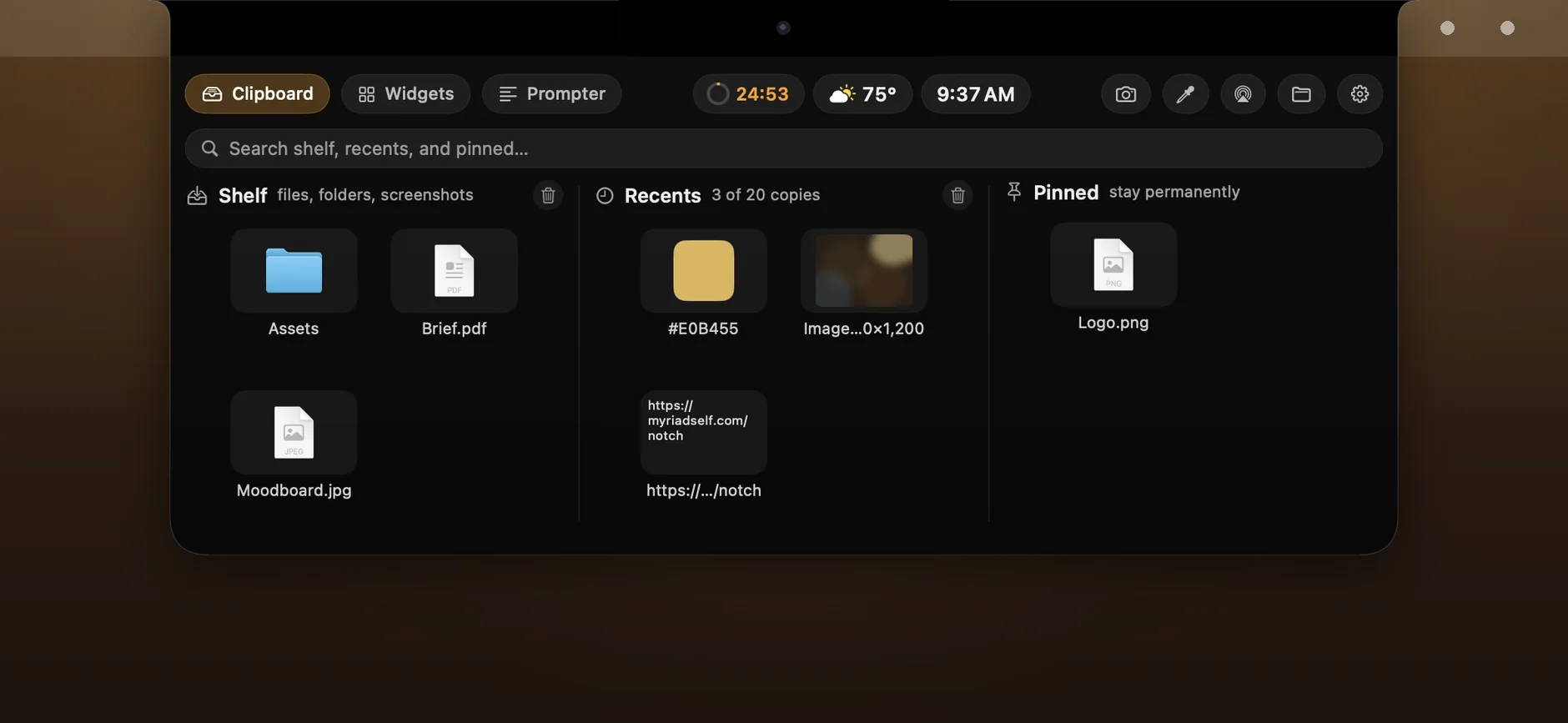
The panel open under the notch: the Shelf with a folder, a PDF and a JPEG, Recents with a colour, an image and a link, and a pinned logo

The real app, version 1.0.

Shelf and clipboard

Drop it on the notch. Take a copy out.

One rule throughout: dragging something out of the shelf copies it. The original stays where it was.

Files and folders.

Drag them onto the notch and they wait on the shelf until you take them off. Drag one into Finder, Mail or a chat and a copy lands there.

Screenshot on one button.

Select an area and the shot goes to the shelf and to the clipboard. Finished downloads can land on the shelf too.

AirDrop from the shelf.

Send what is on the shelf without opening Finder. Convert images to JPEG, copy a path, show in Finder, or pick a colour from the screen.

Your last 5 to 50 copies.

Text, images and files you copied wait in the panel. Click to copy again, drag to drop anywhere. You choose how many it keeps.

Pinned for good.

The paragraph from your contract, your logo, the link you send five times a day. Pinned items never age out.

Password managers left alone.

What a password manager marks as concealed or temporary is skipped, not kept in the history.

Widgets

Your day, folded into the pill.

Closed, the pill holds up to six small widgets either side of the notch. Open, the Widgets tab is a board of cards you arrange yourself.

  • Time, weather, next meeting. Date and time, a world clock, the forecast for the city you name, and your next meeting with a join link for Zoom, Meet, Teams or Webex.
  • Pomodoro and reminders. A countdown with short and long breaks, and your next three reminders to tick off or snooze.
  • Music without the player. Artwork, title and play, pause, skip for Music, Spotify, or YouTube Music in a browser tab.
  • Your Mac at a glance. CPU, memory, disk and battery, exchange rates, three folders and Finder, and a camera mirror before a call.
The closed pill around the notch: time and battery, a pomodoro countdown, the weather, the next meeting and the date
Closed, on a Mac with a notch: widgets either side of it.
On a Mac without a notch: a black pill the size of a notch at the top edge of the screen, with the time, battery, weather and date
On a Mac without a notch: a notch-sized pill at the top edge, doing the same job.
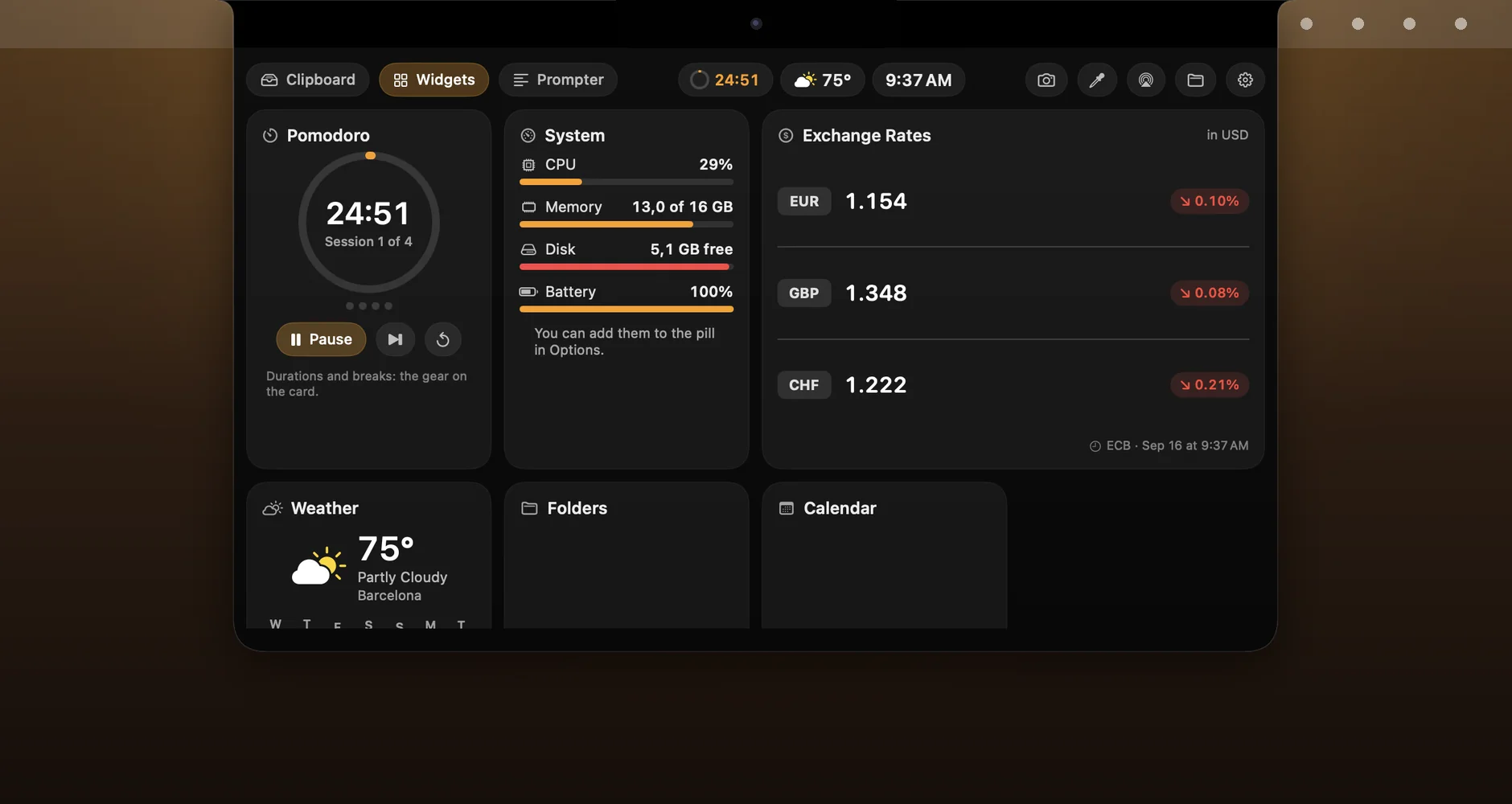
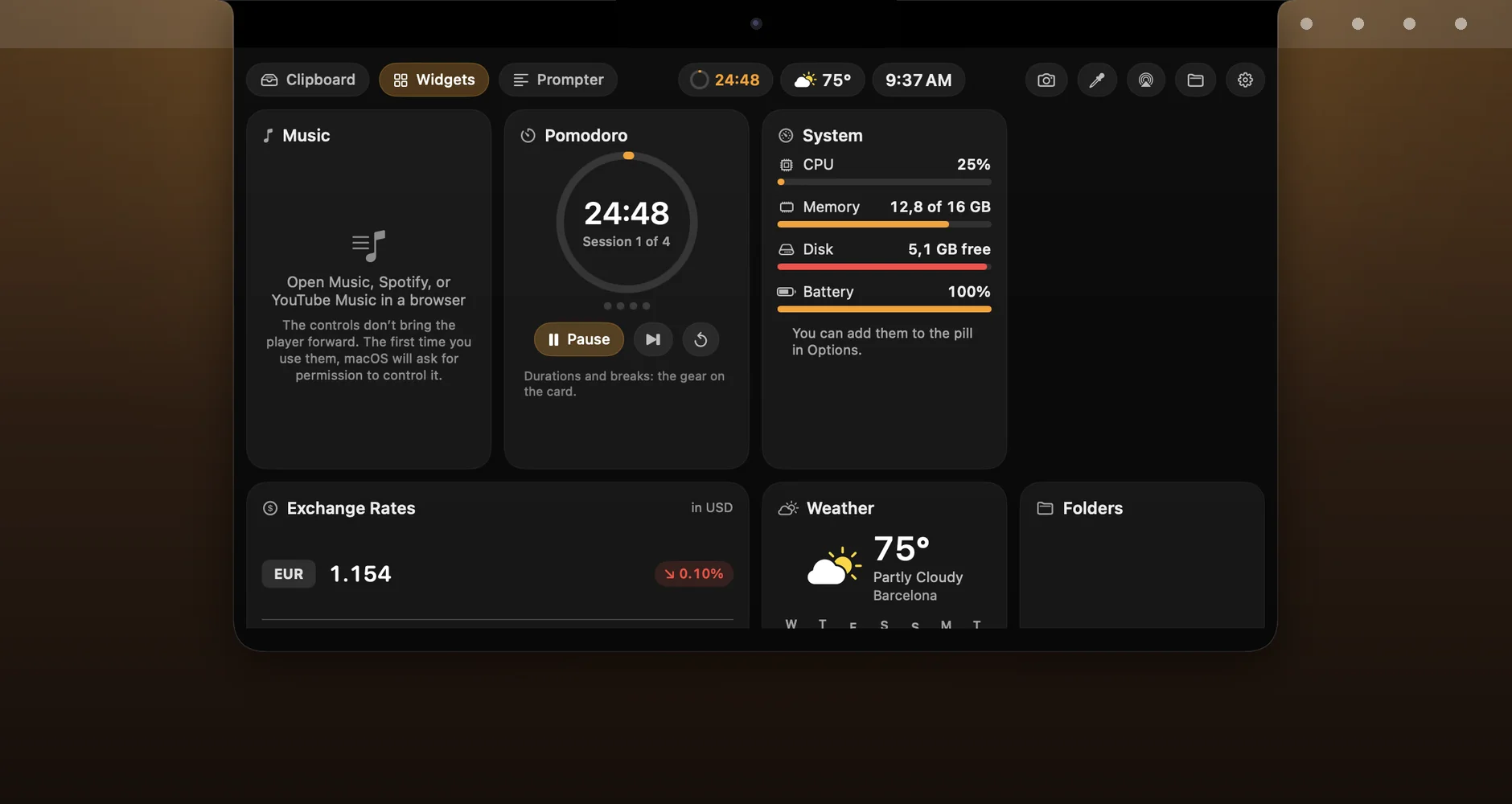
The Widgets tab: cards for weather, pomodoro, reminders, calendar, folders and system load

Open: the Widgets tab, cards you arrange yourself.

Prompter

Speak, and the text moves.

Paste your script, switch on the microphone and read. The text scrolls while you speak and waits when you stop. It measures loudness only: nothing is recorded, nothing is recognised.

  • Right under the camera. The text sits at the top of the screen, where your eyes stay close to the lens.
  • Countdown, loop, mirror. A 3-2-1 start, looping, a mirrored mode for beam-splitter glass, your own type, colours and keys.
  • Hidden from the call. One switch hides the panel from screen sharing and screen recordings.
  • Drop a file on it. A .docx, .txt, .md or .rtf file dropped on the panel goes straight into the editor.
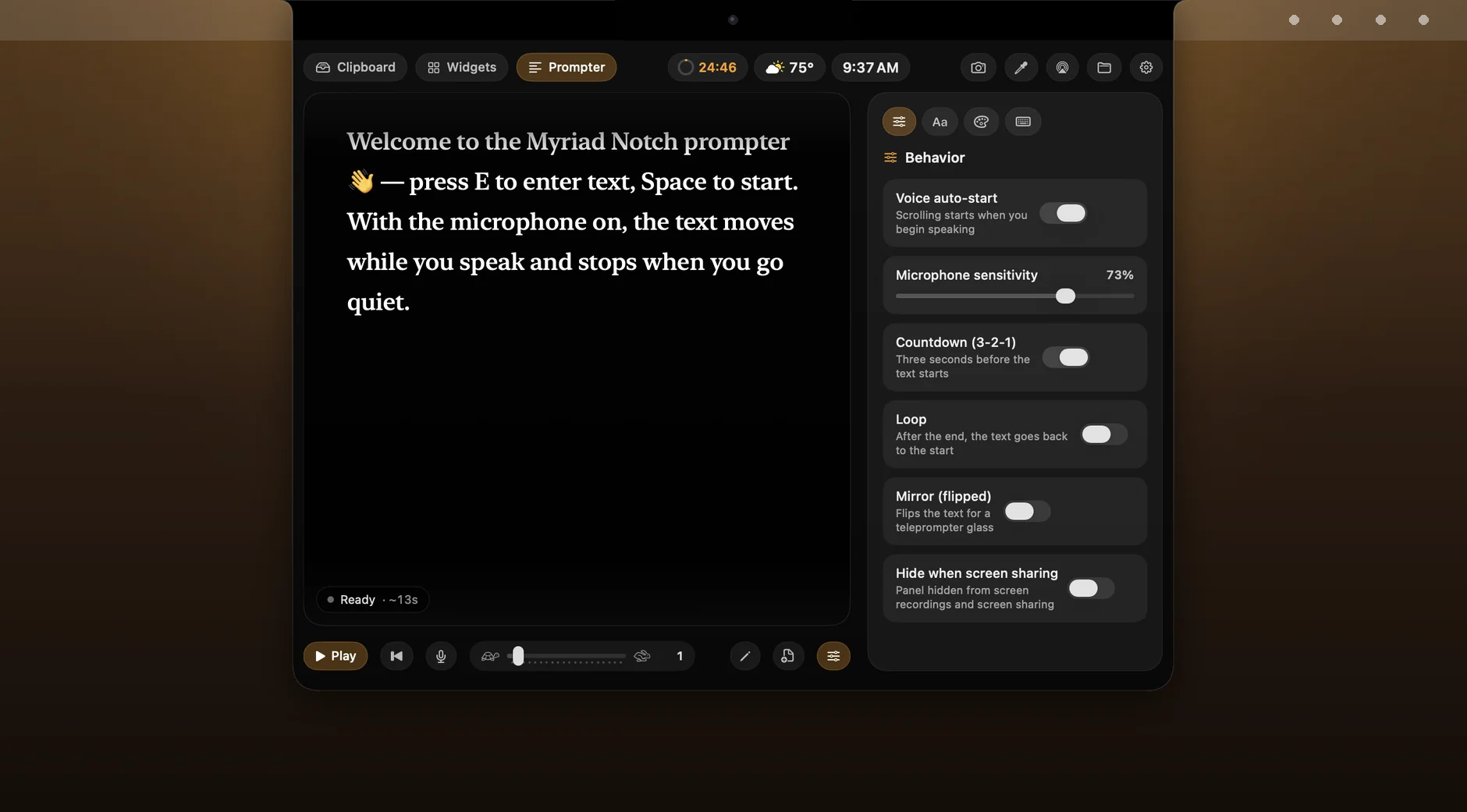
The Prompter tab: a script in large serif type, and switches for voice start, microphone sensitivity, countdown, loop, mirror and hiding from screen sharing
Notes

A note, and nothing else.

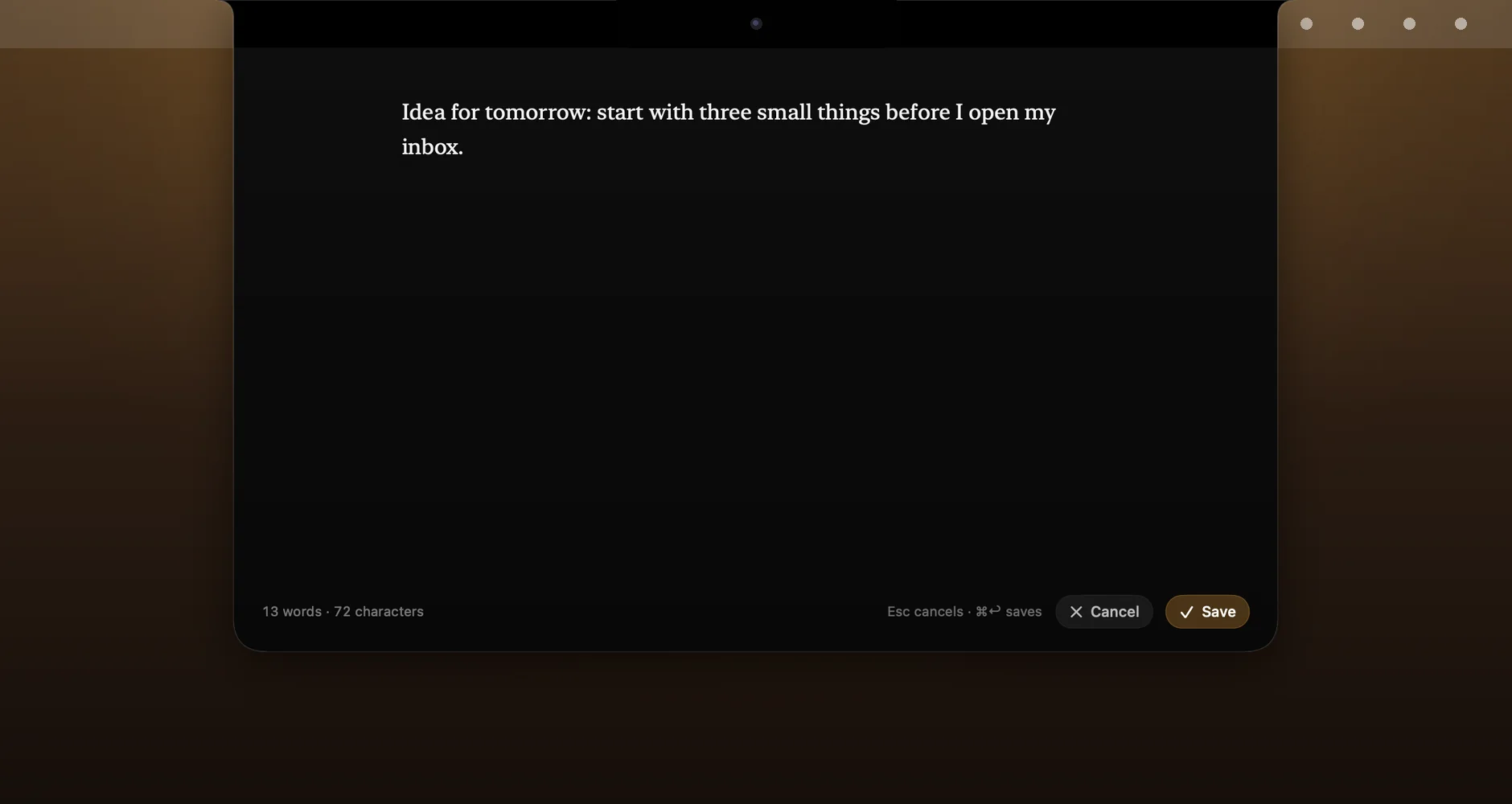
A distraction-free editor that fills the panel: one column of text, a word count, two shortcuts. Notes stay on your Mac.

  • Quick notes from the board. Jot something down from the Widgets tab. It goes into a notebook kept on your Mac.
  • Kept locally. Notes are not sent anywhere and there is no account to sync them through.
The note editor filling the panel: one column of serif text, a word and character count, and Cancel and Save
Your way

Set it once. Then forget it is there.

Four shortcuts.

Open the panel, hide the pill, screenshot to the shelf, start or pause pomodoro. Change any of them.

Auto-hide the pill.

Never, only in full-screen apps, or always. A hidden pill lets clicks through to what is underneath.

Your colour, your glass.

Pick an accent colour, a panel theme and how see-through the glass is.

Keep the Mac awake.

One switch stops the screen from sleeping while you need it, and turns off with the app.

Menu bar and login.

An optional menu bar icon, and launch at login.

Ten languages.

English, French, German, Italian, Japanese, Korean, Polish, Portuguese, Spanish and Traditional Chinese.

Privacy

No account. No sign-up. No data collected.

Your shelf, your clipboard history and your notes live on your Mac. The App Store listing says the same: Data Not Collected.

  • What does go online. The forecast for the city you name (not your location), exchange rates published by the European Central Bank, and artwork for what is playing in YouTube Music. None of these requests identifies you.
  • The prompter hears loudness, not words. The microphone only tells the text when to move.
  • Permissions only when you use the widget. Reminders, Calendar, the camera mirror, the Downloads folder and control of Music or Spotify each ask once, the first time you use the feature that needs them.
Pricing

Free to download. Seven days free. Then pay once.

On first launch, press Try 7 Days Free and the whole app is yours. After that it locks until you buy the Full Version, a one-time purchase inside the app.

FAQ

Frequently asked questions

Yes. A black pill the size of a notch sits at the top edge of the screen and opens the same panel. You can hide it in full-screen apps or all the time.

No. Dragging out of the shelf always makes a copy. The original stays where it was.

No. The download is free, the first 7 days are free, and the Full Version is a single in-app purchase. Nothing renews.

No. The purchase belongs to your Apple Account. On another Mac signed in to the same account, press Restore Purchases.

No. The history, the shelf and your notes stay on your Mac. Items a password manager marks as concealed are not kept at all.

macOS 14 or later, on a Mac with or without a notch.

Something else? Ask a question · Support

Changelog

What changed

1.0
24 September 2026Latest
  • First release on the Mac App Store.
  • A shelf under the notch: files, folders, screenshots, AirDrop. Dragging out of the shelf copies; the original stays.
  • Clipboard history of 5 to 50 copies, plus items pinned for good.
  • Widgets in the pill and on the board: weather, music, pomodoro, reminders, meetings, world clock, exchange rates, system load.
  • A prompter that scrolls while you speak, and a distraction-free note editor.
  • Ten languages. The first 7 days are free, then one purchase, no subscription.
Mac · Mac App Store

The files you need, one move away.

Free to download and free for 7 days. If something would stop you from keeping it, tell us.

All apps